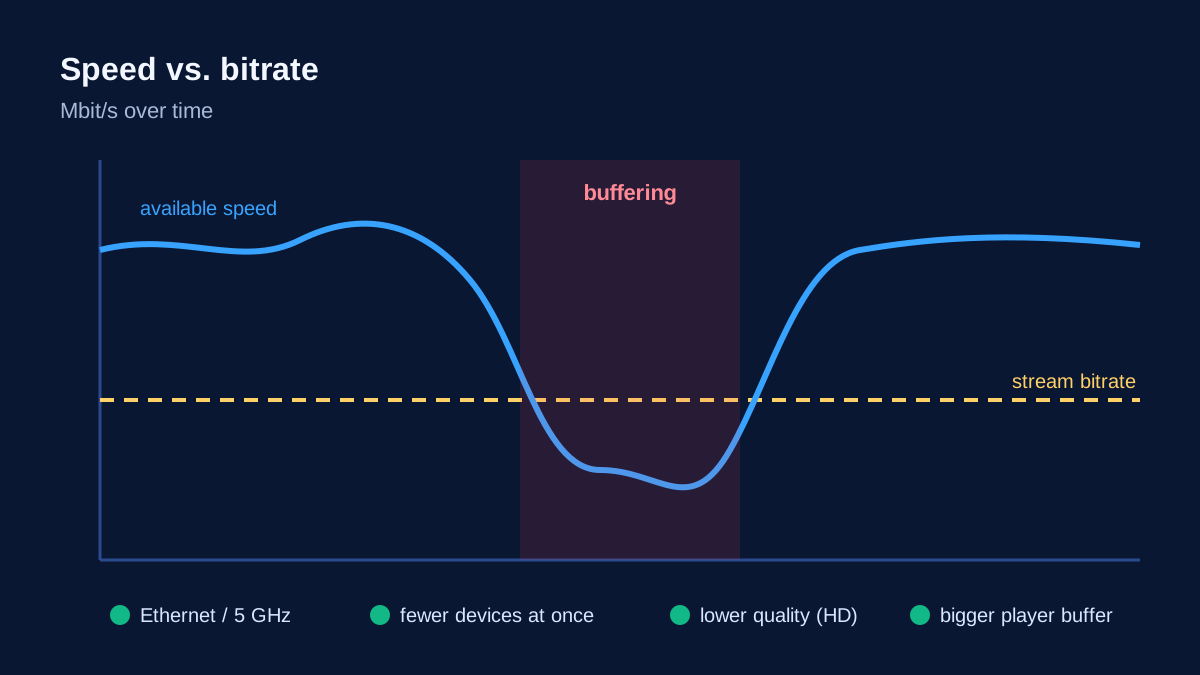
IPTV buffers when your device receives data more slowly than the stream needs it. The player's buffer runs dry and the picture freezes until enough has been downloaded again. In most homes the bottleneck isn't the service but somewhere on the way: the Wi-Fi, the broadband hub or the device itself.
Four quick tests (two minutes)
| Test | If yes… |
|---|---|
| Is it only one channel? | that stream has a problem – report it |
| Does it only happen 8–11 pm? | peak-time congestion at home or on your broadband |
| Is it smooth on a cable or right next to the hub? | your Wi-Fi is the cause |
| Is it smooth in a different player app? | the first app's settings are the cause |
Fixes for Wi-Fi problems
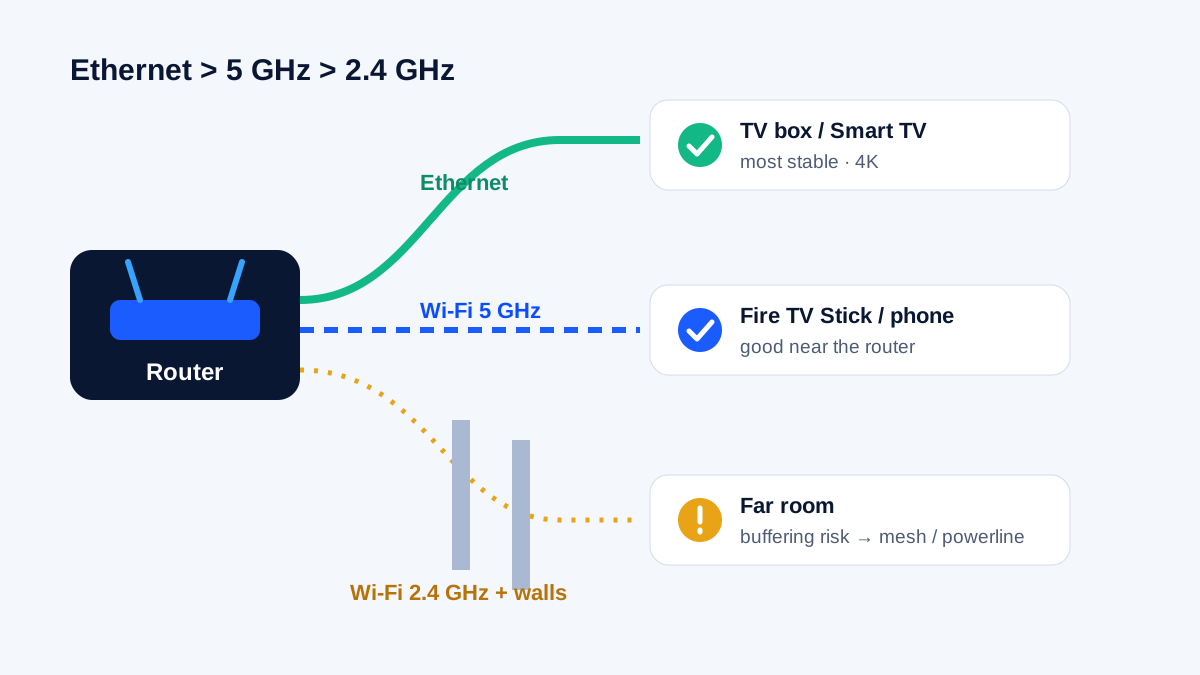
- Plug in an Ethernet cable. The single most effective fix. Firesticks need Amazon's Ethernet adapter.
- Use 5 GHz, not 2.4 GHz. 2.4 GHz travels further but is crowded and slower in flats and terraced houses.
- Move the hub. Out of cupboards and away from the floor, TV and other electronics.
- Add mesh or powerline. BT, Virgin Media, Sky and EE all offer Wi-Fi extenders or mesh discs, and powerline adapters carry the connection over your mains wiring. Detailed settings are in our Wi-Fi and router guide.
Fixes for congestion
- Pause other heavy users – game downloads, cloud backups, 4K streams in other rooms and video calls all compete.
- Lower the quality – Full HD instead of 4K often looks the same on smaller TVs and needs far less bandwidth.
- Restart the hub – unplug it for 30 seconds; many problems after weeks of uptime disappear.
Fixes in the player and device
- Bigger buffer – most players have a buffer-size setting.
- Switch the decoder between hardware and software.
- Change the stream format between MPEG-TS and HLS if your app offers it.
- Clear the app cache and restart the device. On a Firestick, the steps are in IPTV not working on Firestick.
Check the line itself
- Speed-test on the TV, at the time it buffers. For Full HD you want around 16 Mbps steadily, for 4K around 25 Mbps. See internet speed for IPTV for how to measure properly.
Buffering only during big live events?
Major matches and finals put enormous load on home networks and broadband providers at the same moment. Start the stream before kick-off, avoid hopping between channels and pause other devices in the house.
When to contact support
If every channel buffers on a cable and in a second app, and your speed test looks fine, send KIVARO support your device, app, the channels affected, the time and your speed-test result. That gets you to a solution much faster.
Frequently asked questions
Does a VPN stop IPTV buffering?
Rarely. A VPN adds an extra hop and usually costs speed. KIVARO doesn't require one.
Why does it buffer when my broadband is fast?
Because the contract speed doesn't reach the TV. Walls, a crowded 2.4 GHz band and several busy devices are the usual reasons.
Is IPTV more prone to buffering than Freeview or satellite?
IPTV depends more on your broadband and home network. On a cable or good 5 GHz Wi-Fi it's usually smooth. See IPTV vs cable vs satellite.